Tableau | Data prep | AI & ML | Tool strategy
 Ai in Tableau Prep: Co-pilot / Agent in Tableau 2024.2
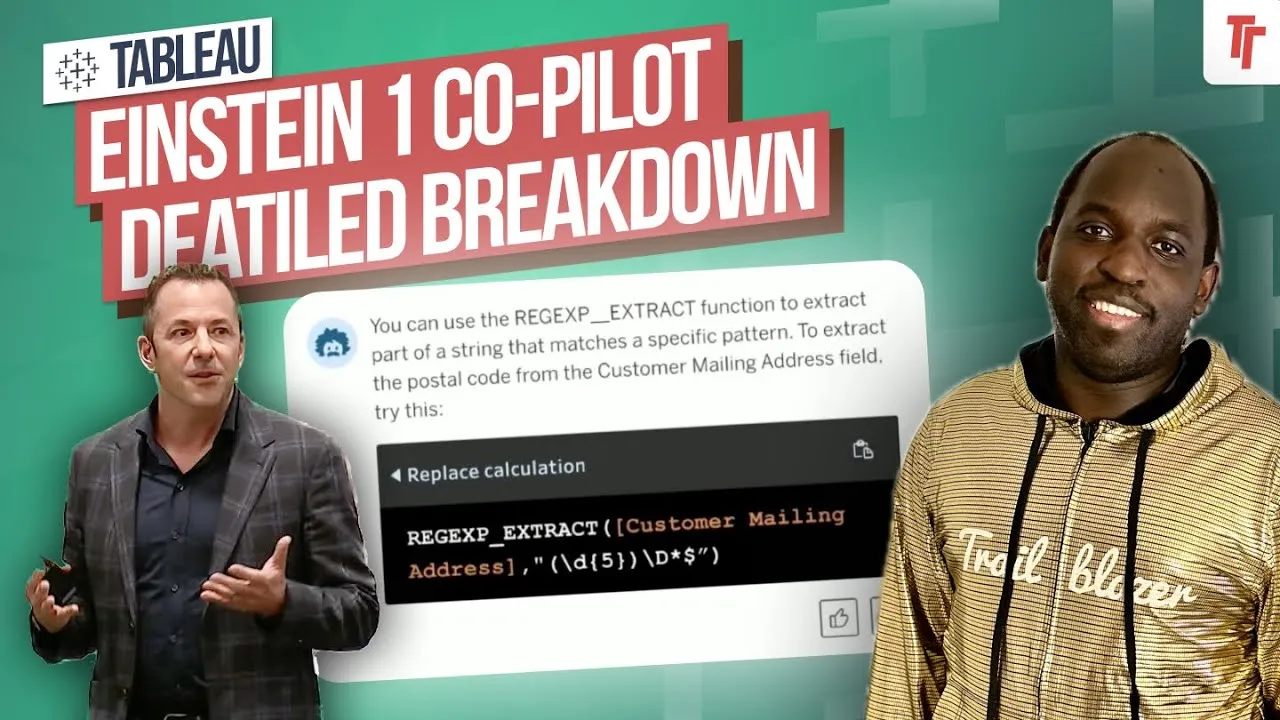
Tableau's AI copilot flopped in desktop charts, but in Prep's calculation editor it actually nails tricky formulas.
- The AI copilot in Tableau Prep only lives inside the calculation editor, which keeps it focused and more reliable than the desktop version that also touches charts
- Being overly prescriptive in your prompt gets you exactly what you asked for, sometimes too literally, so plain descriptive language often works better
- You must click the send/paper-aeroplane icon rather than Apply to get the AI to actually write the calculation
- It correctly built a partition-based running total grouped by customer on the first try, something many experienced Prep users would struggle to write unaided
- The feature is off by default and requires Tableau Plus licensing, Tableau Cloud, and web authoring to enable it
- Intro: copilot in Tableau Prep0:00
- Existing data-prep recommendations0:44
- Where the AI lives in the calculation window1:13
- Asking it to split a field2:00
- Follow-on prompt to refine the calculation3:39
- Date shift and truncation example5:01
- Running total grouped by customer7:27
- Verifying the result in table view8:51
- How to enable the feature in Tableau Cloud settings11:17
- Wishlist for future improvements12:50
0:00Copilot or agents inside of Tableau.
0:02In my previous video I was very critical, but actually in Tableau Prep, I think this is actually a great feature.
0:08To find out why I've turned 180
0:10As ever, let's get stuck in.
0:12Okay, so we're here in Tableau Prep in the cloud.
0:15Um, co-pilots are only available in the cloud or agents are only available in the cloud.
0:20in web authoring.
0:21So we're in Tableau Prep in the web ordering setup.
0:24Now at least Tableau Prep has a very comparable experience between web authoring and desktop.
0:29So I've already gone ahead and connected to a sample dataset.
0:32If I just minimize this sidebar here, we'll get a bigger view.
0:36And when we connect to the prep.
0:39Step as it were, this um this sort of preparation segment here.
0:44You get a preview of the data, and one of the things I wanted to call out about this feature is that
0:49You've actually already been able to get recommendations from Tableau Prep about what you should do.
0:54And this is just based on looking at your data.
0:56Those recommendations live here.
0:58They have this sort of little light bulb option and
1:01You can see you get some hints and as you click on these hints, it gives you an example of what it's going to do.
1:06You hit apply and it applies it to that step.
1:09So that clean step now has that calculation applied to it.
1:12To see that calculation, you can see that here
1:15But the Einstein Copilot or Tableau Aging capability inside of Tableau Prep only lives inside of the calculation window, unlike desktop where it's on the top right and in the calculation window.
1:25in Tableau Prep, it's only inside of the calculation window.
1:28So when I open it up, you can see it's right here.
1:31And it starts off a conversation and I think it's actually quite a nice
1:35uh experience.
1:35Now the thing about this instance of Einstein Copilot and this capability in general, I don't think this is an agent.
1:42This to me is still a copilot, but hey, we'll call it a Tableau agent for now.
1:46The thing about this is it's focused because it's only in the calculation window.
1:50I think it does a better job than the desktop equivalent, which tries to do a bunch of other things in charts and therefore goes wrong more often.
1:57So if we just focus on calculations
1:59We're going to ask it to do a couple of things.
2:01So first of all, I'm going to ask it to split the order field in a specific way.
2:06So let's say I don't know how to do this and I just want some help writing a calculation to
2:10Split the order field.
2:11You can see the order field is just here on the left hand side.
2:14It's US 2019 103.
2:17800.
2:18So can you split out the order field?
2:24Um just keep the first uh two letters and the last six characters.
2:34Okay, so that's a very simple question.
2:36Now I made a mistake and I hit apply down here, thinking that's what you've got to do.
2:41It is not.
2:41That will create you an empty calculation.
2:43You can see that actually is exactly what it's done and it's created an error.
2:46You can just see that faded out.
2:48What you need to do is click on this small uh button here, this envelope send paper aeroplane icon.
2:55I never know why it's that.
2:56And um yeah, it basically writes a calculation.
2:58But it does highlight one specific thing, which is if you're very prescriptive about how you write it, then you'll end up getting exactly what you've asked for.
3:07The way I wrote that calculation was
3:09as if I was someone who knows something about the split function and exactly what I'm trying to do.
3:14So I was almost too descriptive if that makes sense.
3:17So if I go ahead and select the replace calculation, you'll see that it puts it into the calculation window right here.
3:22If I then click apply, we can actually test if this works because the calculation will appear here in calculation one.
3:28And you can see that it's kept it and it's kind of done the right thing.
3:31So it's taken the first two and the last few bits
3:34And then we can go ahead and add whatever other thing we want to add.
3:38Now what we can do is we can say, let's try a follow-on question.
3:43So can you add a hyphen in the middle?
3:49Just so we can sort of see if we can tune this to work with some prompts that I'm giving it rather than me having to go out and write the calculation.
3:58So
3:59You can see that it has actually done that, and we can go ahead and replace the calculation.
4:03We go ahead and hit apply, and that fix has been applied.
4:06So
4:07For me, I think this is very powerful for people who are inside of Tableau Prep and they're just trying to get some help with calculation.
4:14That
4:15I think was actually faster than having to think and you know go find all the functions and test it out and make sure you're doing all the right things.
4:22I was able just to turn a simple sentence into a calculation.
4:26And it's correct.
4:27I can see the results immediately and I can actually go down across the whole entire data set and preview it.
4:31And I actually learn a few things about the function and how it's being done.
4:35So I can take that knowledge.
4:36away and use it as a reference.
4:39I think it's actually a great idea that it's right here next to the reference pane because once you've used the uh the function in Einstein you can go ahead and check the function here and just search
4:48or what does the left uh eye calculation do and get a description so having these two side by side i think this is the sweet spot for this capability and i like that it's super focused so
4:58That's a very simple example.
5:01Let's go ahead and change this up.
5:02I'm not going to create a new calculation.
5:04We'll just stay in here and just test what it can do.
5:06I've got some other elements here.
5:08So what I'll what I'll ask is look, hey, can you write
5:13A date calculation to shift the date by um three weeks for the order date.
5:24Yeah
5:25Now I've written this in the wrong place, so I'll just go ahead and grab this and I'll put it in here.
5:32So can you write calculation uh
5:34Do shift the date by three weeks.
5:36Go ahead.
5:37Oh no, I hit save.
5:38I may I made that uh faux par mistake myself.
5:41Oh wow, that's uh that's kind of really bad.
5:43Let's go ahead and put this here
5:45Hit send.
5:46That is probably something they have to change from a UX and um UI perspective, right?
5:50That's never gonna um uh work.
5:52So yeah, it's gone and done a date add, a week, and it's gone through order date.
5:56And then if I go ahead and replace the calculation, hit apply.
5:59And we look at our order dates.
6:01We've got here the first of depends what kind of dates this is.
6:05If this is the 3rd of January 2019, I think it is the 3rd of January 2019.
6:09So add three weeks onto that.
6:10And you do get that and actually brings it back as a date time calculation.
6:14Whenever you do a date add, it always brings back the time component.
6:17Then you can truncate this to just the date.
6:20So um I can ask it
6:22uh can you truncate that to just the date no time so we can do a follow on
6:30And the other thing is, I think the hit rate here is better.
6:33I don't know what they're doing differently here compared to the one in desktop, but I do think there is something about this version that's just the way it writes calculations, the way it formats it.
6:43It's just a little bit more thought through compared to what we've seen in desktop, which I think has a bit of a forced sort of uh interaction.
6:50So uh I have done the truncation, but it's still coming through as uh date time
6:55And I think it's actually not the um it's not that there is actually a time component.
7:01If I just briefly hit save, I think the data type here has been pre-done as
7:05uh date and time in the first place.
7:07So the only way to get around that is to change it.
7:09You see that actually adds an additional step here to change the data type.
7:13So that's that's just something to sort of be aware of.
7:15I tried to do in the calculation but an actual fact
7:18I need it to change the data type.
7:19So that's something to look at.
7:21Okay, so what we'll do, because we don't want to cause any errors, let's just delete that step.
7:25Go back in here and we'll close this.
7:27I want to do something a little bit more challenging.
7:30I've actually written a prompt
7:32And this is a this is the type of calculation where you're like, okay, this is going to be really tough.
7:37So can you create a running total grouped by customer?
7:40Okay, and so to do that, you've got to think of it in a couple of ways.
7:44Running total group by customer means that for each customer I want a running total across their orders, across the entire data set.
7:51Okay, that's essentially what I've asked.
7:53Now, if I ask you how would you do that in Tableau Prep
7:56The way you'd think about doing that would require you to essentially build out the summary table for each customer.
8:02You'd probably want to visually sort the data, then go and do the running total using the running total calculation so you could see the result.
8:10And the thing is you don't need to do that.
8:12You can actually just write the calculation and Tableau Prep will give you a preview that is actually matching of your request because the function itself.
8:20does a little bit of sorting anyway.
8:22So if I go ahead and send that to Einstein Copilot, uh in this case Tableau Agent, sorry, I keep switching between those two terms.
8:30It correctly writes a good calculation.
8:33So partition, customer ID, order by order date, ascending, running sum of sales.
8:38And so if we go ahead and replace the calculation and hit apply.
8:41We'll actually go ahead and let that finish.
8:45We're going to get an error potentially because we might have dates in here.
8:47No, no, it's changed it, which is great.
8:49And I'll just zoom out here.
8:51And then what we'll do is we'll bring this up.
8:53Let's just bring this up and let's go to the table view.
8:56And if you just pay a little bit of attention to this, you can see that here Natalie De Cherney is the customer.
9:04And if you look at the order date, it goes from 2019 all the way to 2022.
9:09And so if we go from top down in ascending order, this should be going from the smallest transaction, adding it up.
9:15And it should be slowly getting larger until you got the very last transaction here.
9:19So it's done it.
9:20It's worked.
9:21And that's been mapped onto the entire data set.
9:23So maybe if you wanted to have the
9:25running total of a customer's business over the entire data.
9:29You could have that as a separate column and then you could compare the value of the current transaction versus their running total or something like that to give you a context of like how big of an interaction was this.
9:40customers uh sale compared to their lifetime history.
9:43Like if someone comes in and you know does 50% of what they've done in their lifetime in one transaction, you probably want to know that because something has happened, right?
9:50So that could be a really good
9:52thing to do.
9:53But anyway, regardless of that, that is actually I don't think many people who use Tableau Prep every single day would get that calculation right the first time
10:02But I think they could describe it very clearly.
10:04And you can see here, Einstein Copala absolutely nailed it.
10:07So for me, this is a great experience.
10:09And actually, and this is this is this is sort of the upside here.
10:13This is a better way of writing the calculation because I'm just using human speak to get exactly what I need.
10:19And at least in my case, I can validate this and go and check it.
10:22And I'm, you know, I I've got a very good understanding of how this works.
10:26For a new analyst, this might be more tricky to validate because we have to understand is you know the whole sort of complexity of what you're looking at.
10:33So the way the data's sorted.
10:35What exactly are you checking?
10:36What's the granularity of the data?
10:38What is a group by?
10:40What is a petition?
10:40What's the ordering by?
10:42And then what does a running sum in sales do?
10:44Like all of that.
10:46There's a lot of assumed knowledge there.
10:48And to be honest with you, if you're a new analyst, each one of those is probably in itself a five, ten-minute journey just to understand this very simple function.
10:55But nonetheless, uh Tableau Agent Einzango pilot can write it for you.
11:00So I think this is a great feature.
11:02Um I I think it's it's very nice now
11:05The one thing I will say is that this doesn't come enabled by default.
11:09So in the next part of this video, I'm going to show you how to enable this.
11:12You do have to do some work in the settings space.
11:14So let's take a look at that and see how it works.
11:16Okay, I'm back in my own Tableau Cloud instance.
11:19This is the Tableau Tim instance, as it were.
11:21If you go to settings, you'll go to this general page.
11:24There's a bunch of settings in here that have been added over time.
11:27And more recently, we've had this section for Tableau Pulse been added, and this is important for enabling Tableau Pulse.
11:33I've already got a video on that
11:35But all the Tableau AI capabilities, and this is where the Salesforce's naming gets super annoying because Tableau AI is sort of this
11:43thing that sits out for all AI capabilities inside of um Tableau, but it's powered by Einstein, which runs on the Einstein trust layer and it enables Einstein copilot or Tableau agents.
11:54Oh my god, it's such a mess
11:56Anyway, these capabilities don't come on by default.
12:00You have to go on and enable them.
12:02So I've already enabled Tableau Pulse.
12:05I have not enabled Tableau Prep suggestion calculations for your flow.
12:10Because I don't have it available in my Tableau Cloud instance.
12:13But if you do have it, um to have it available, you have to have the Tableau Plus.
12:18uh license that's the first requirement and number two you have to be in tablet cloud and that's another requirement and then you have to be
12:27in web authoring.
12:28So this is like the the the the sort of the trinity of capabilities you need.
12:31A very sort of narrow set of people have all three of those.
12:34But nonetheless
12:35If you have that, you can enable all of these web autoing and Tableau Prep, and it will allow you to start to use Tableau Prep um the Einstein Copilot Tableau Agent capability.
12:45inside of Tableau Cloud.
12:47So that's how the feature works.
12:48Very simple.
12:49I'm really looking forward to see how this sort of evolves over time.
12:53I am largely far more positive about this implementation of Tableau Agents because I just think the focus
12:59just means that it's it's it it really helps you where you need it and I think in Table A prep, the only place you need help really is the calculations because everything else is visual.
13:08And it's nice to be able to see it.
13:09What I'm hoping they can do to it though is they can suggest ways of changing up and optimizing your flow.
13:15So really helping people.
13:17understand a better way of doing something just by analyzing the flow and making those suggestions and building out those segments of the flow as well so that you know you go on, you look at a a problem, you type the problem you're trying to achieve, and maybe it suggests
13:29two or three steps for you and shows you the outcome.
13:32I think that would be a really constructive way to develop this further.
13:35And again it narrows the scope a little bit more because that to me is a sort of separate
13:39set of problems but I think Table can do it because behind the scenes this is all just SQL being fired off to a database.
13:46So anyway, thanks for watching.
13:47We'll see you in the next one.
In this video, I explore the new Co-pilot or agent feature in Tableau Prep, available exclusively in the cloud. Initially skeptical, I now find this feature incredibly useful for enhancing data preparation workflows. Join me as I demonstrate how to leverage Tableau Prep’s Co-pilot to get recommendations and write complex calculations effortlessly. From splitting fields to creating running totals, I’ll show you how this tool can simplify your tasks and improve efficiency. Additionally, I’ll guide you through the steps to enable this feature in your Tableau Cloud instance. Don’t miss out on these valuable insights to optimize your Tableau Prep experience!
Key Points Covered:
- Overview of Co-pilot/agent feature in Tableau Prep
- Demonstration of data preparation and calculation recommendations
- Step-by-step guide to enabling the feature in Tableau Cloud
- Tips for maximizing the utility of Tableau Prep's Co-pilot
Timestamps 0:00 Intro 0:29 Setup & finding the feature 1:27 How it works 3:40 Great addition to Prep 5:03 Date Calculation 7:30 A tougher example 10:00 Why I like this 11:17 Enabling the feature 12:49 Final thoughts